Your screenshots.
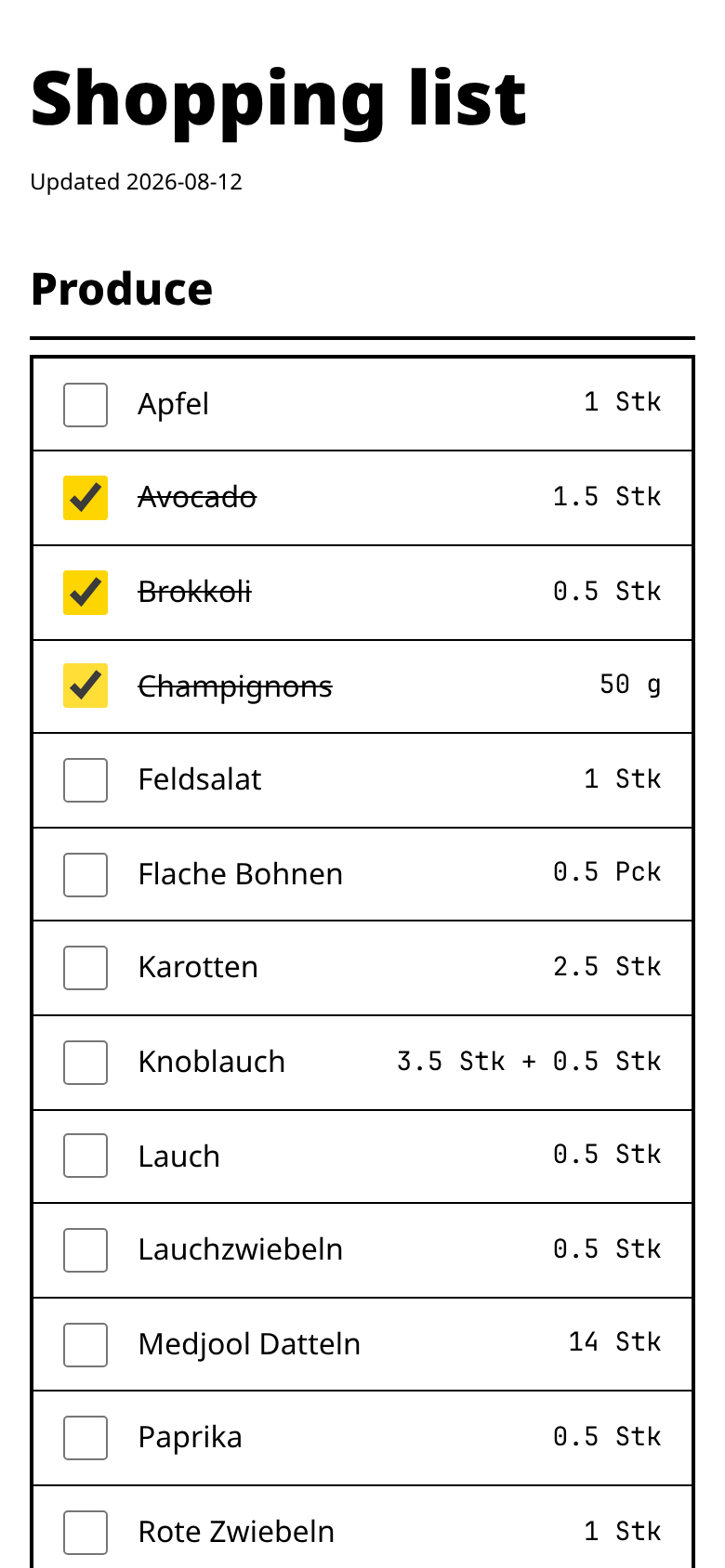
One shopping list.

You already have the recipes — screenshotted, saved, scattered across your camera roll. MealPrepped reads them, plans your week, and hands you a single consolidated shopping list. No retyping a single ingredient.

Get started
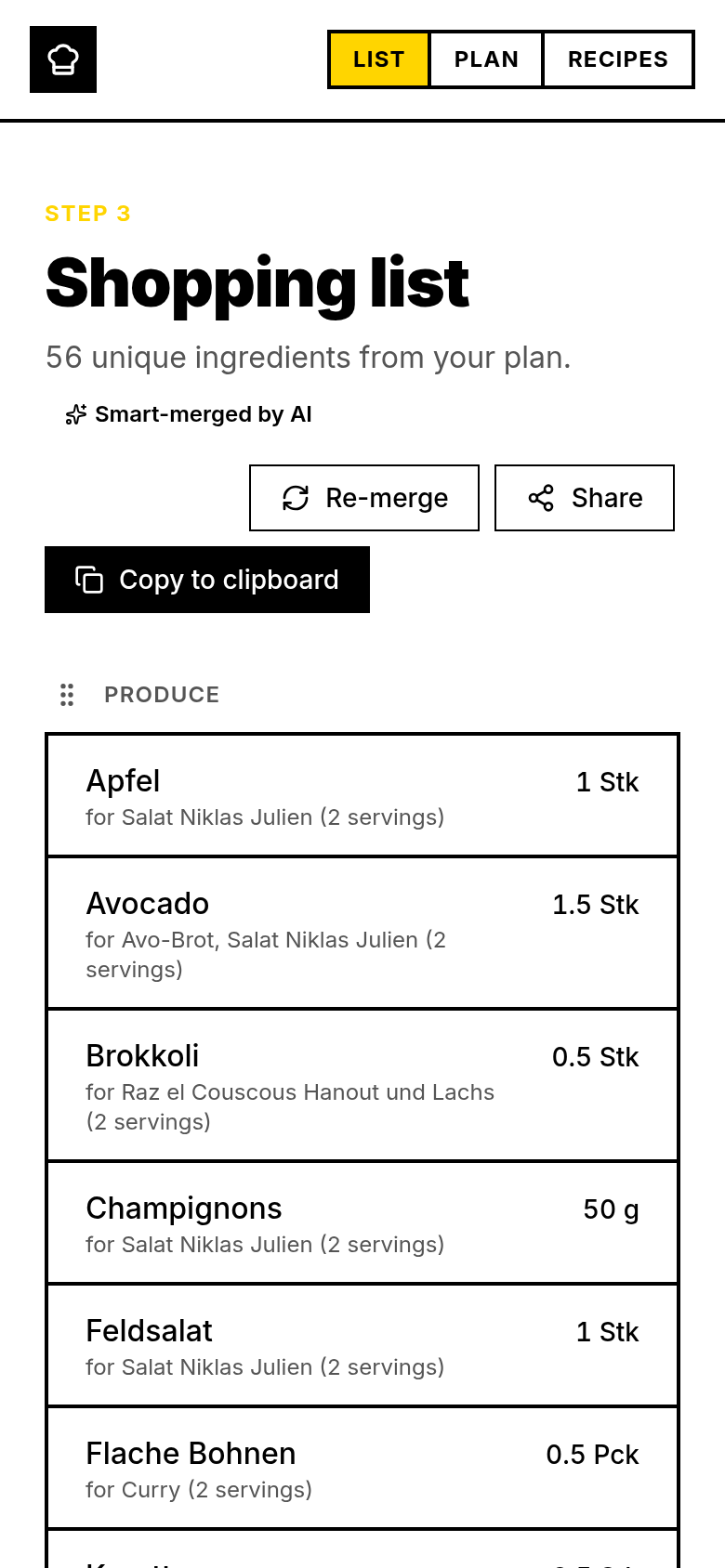
The MealPrepped shopping list, with quantities summed across a week of planned meals and each line naming the recipes it came from.
The shopping list — where a planned week ends up.

How it works

  1. 01

    Scan a recipe from a photo

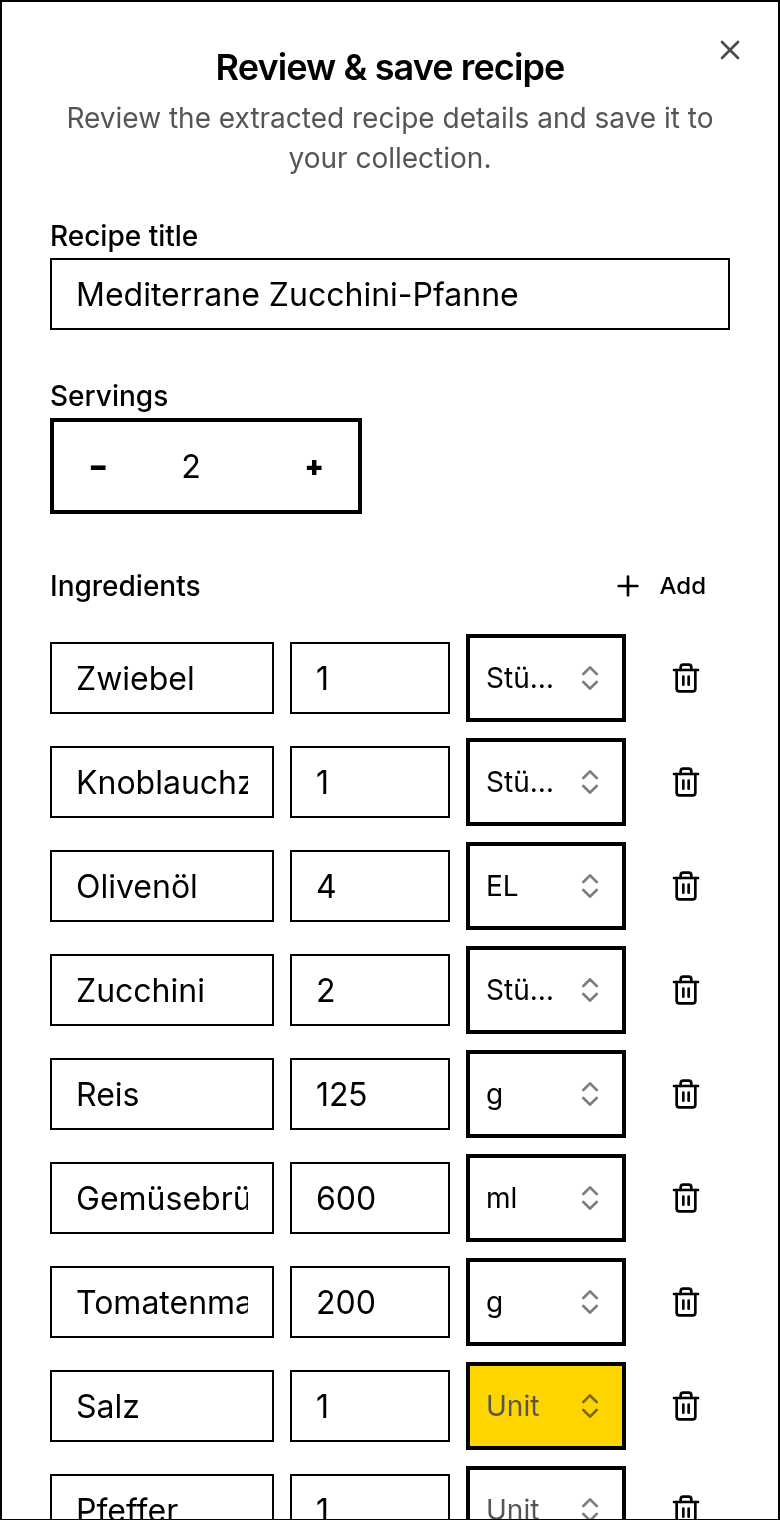
    Upload the screenshots you already have. Ingredients, quantities, servings and instructions are read out for you — nothing typed by hand.

    A recipe being extracted from a screenshot, with the ingredients and quantities read out into editable fields.
  2. 02

    Plan the week

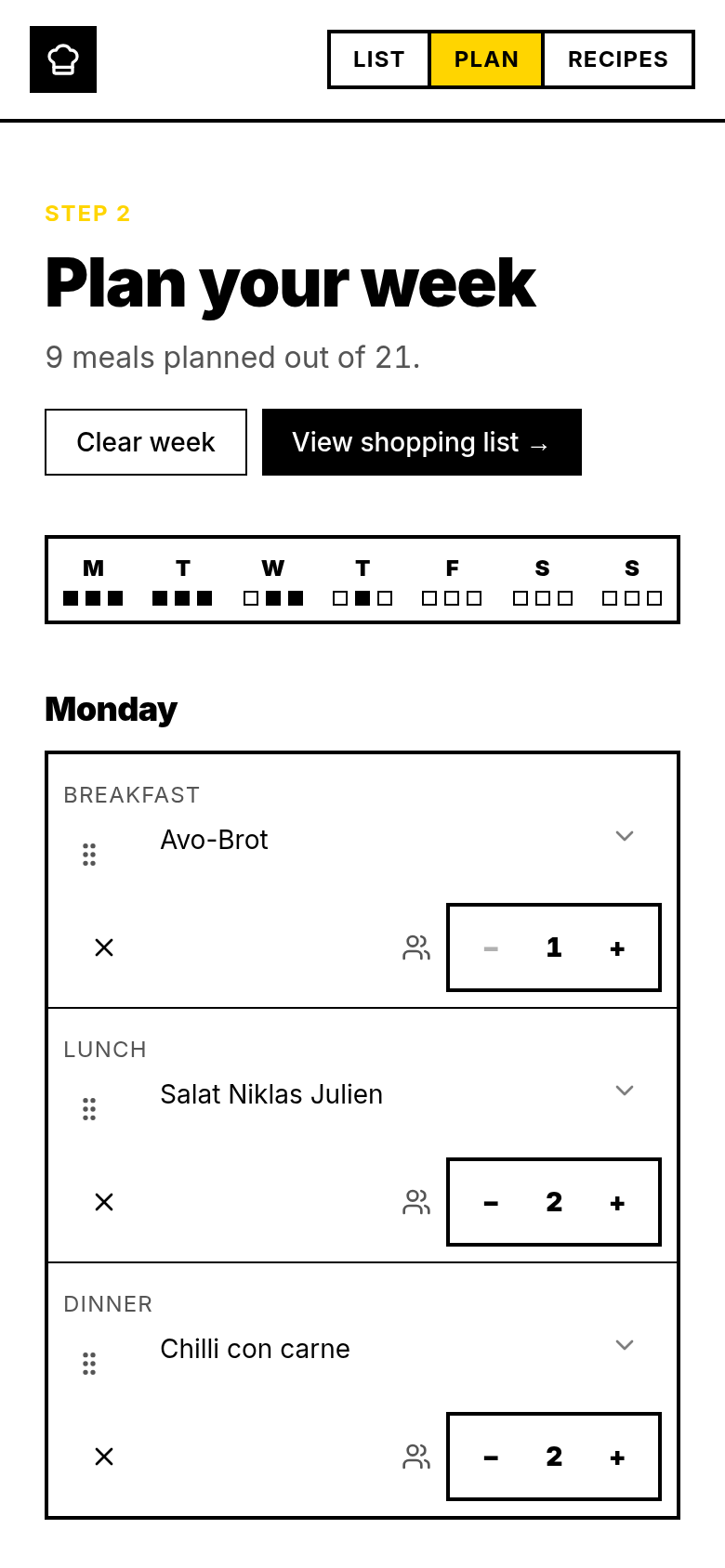
    Drop recipes onto breakfast, lunch and dinner. Set servings per slot; the quantities follow automatically.

    The weekly meal planner with recipes assigned to breakfast, lunch and dinner slots.
  3. 03

    Get one consolidated list

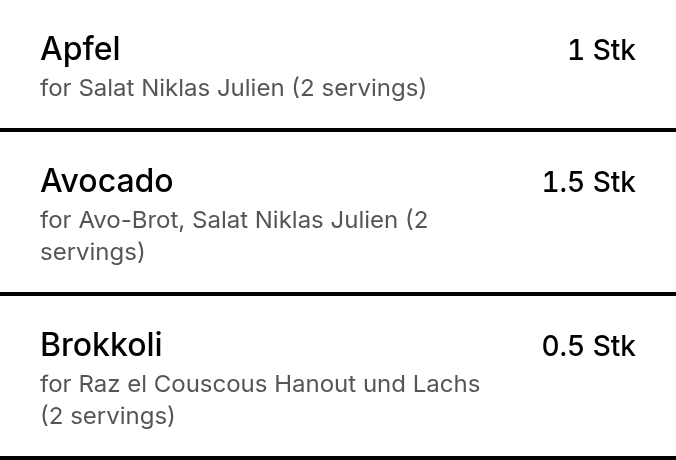
    Every planned meal merges into a single list — duplicates summed and units reconciled, with each line showing which recipes it came from.

    The consolidated shopping list: cumin appears once at 4 tsp, totalled across three planned meals, with the source recipes named beneath it.
  4. 04

    Share it with whoever shops

    Publish the list as a link. They tick items off as they go; no account needed on their end.

Your recipes stay on your device

MealPrepped keeps your recipes, meal plans and shopping lists in your browser's own storage — on your phone or laptop, not on our servers. The app works offline because the data was never somewhere else to begin with.

One deliberate exception

When you publish a shopping list as a link, that list — and only that list — is copied to our server so the person shopping can open it. Published lists are deleted automatically after 30 days.

Nothing is sold

Your recipes are not training data and not a product. There are no advertising trackers on the app. An account exists so we can cap what the AI features cost us — not to build a profile of you.

Pricing

MealPrepped is free while it is in beta. Nothing is charged today and no card is asked for. These are the prices we plan to launch with — they are not final.

Monthly

€8 per month

Cancel whenever.

Yearly

€60 per year

Two months off the monthly rate.

Lifetime

€150 once

One payment, no renewal.

Start free

Questions

What if it reads a recipe wrong?
You get the extracted recipe as editable fields before anything is saved. Fix a quantity or a name inline and save it. The AI proposes; you decide what gets stored.
Do I need an account?
Yes. The AI features cost real money per use, and an account is how that spend is capped. Sign-in is a magic link — there is no password to invent or remember.
Does the person doing the shopping need one?
No. Publish the list as a link and they open it in any browser, tick items off, and never sign up for anything.
Does it work without a connection?
Your recipes, plan and list all work offline — they live in your browser. Reading a new recipe from a photo needs a connection, because that step runs on a server.
What does it cost?
Nothing during the beta. A subscription is planned before public launch; the prices above are what we expect to charge, and you will not be charged without choosing to.
Do you sell my data?
No. Your recipes are not sold and not used as training data, and the app carries no advertising trackers.

Stop retyping ingredients.

Bring the screenshots you already have. Get a plan and one list you can shop from.

Get started